
End of Support for IC2 Integra Windows
As part of our commitment to providing you with the best possible service, we are phasing out support for older versions of our software.
IC2 Integra Windows End of Support policy
1. Purpose
The IC2 Integra Windows (IC2i Win) End of Support (EoS) Policy provides clarity to Merchants using the IC2i Win Software in describing the various phases of the different IC2i Win versions go through, from their initial release to the market to reaching their end of support.
2. Scope and Validity
This Policy is effective as of October 1st, 2024 and applies to all available IC2i Win releases. The Policy defines the support available during the product lifecycle. This document does not discuss the End of Support policies of the underlying Operating Systems (“OS”) nor hardware infrastructure (in combination “Platform”) on which IC2i Win is executed. The minimum requirements are shared with merchants by Global Blue (GB), prior to the installation of IC2i Win and as part of the IC2i Win Installation Manual. This Policy supersedes all previous versions of this policy. Global Blue reserves the right to modify this Policy, and the corresponding EoS List at any time. The latest information will always be available and communicated to the merchants in advance.
3. Compatibility
When new versions of GB products or components get released that interact with IC2i Win, GB aims for the new releases to be compatible with all the officially supported IC2i Win versions and will specifically test all combinations in scope.
4. IC2i Win Product Lifecycle
The following section describes the different phases of the IC2i Win releases.
GB keeps Merchants informed about the latest IC2i Win releases and provides updates when necessary. Standard Support will be provided for all major releases with a Release Date within the last 2 years. In the unlikely case where less than 2 major releases were delivered within the last 2 years, Standard Support will be provided for the last 2 major releases.
In the exceptional case where a necessary patch to an older release is delivered by GB, it will not extend the EoS timeline for the major release.
Example:
- Release A:
- Release Date: April 2025
- Supported until: end of April 2027
- Release B:
- Release Date: June 2025
- Supported until: end of June 2027
- Patch for “Release A”
- Delivered: September 2025
- Supported until: end of April 2027
5. Overview of EoS Milestones
The milestones of each IC2i Win version are publicly available at globalblue.com
Release Date
The month when a major release is available for the market (e.g., September 2025).
End of Support
- The EoS date is the date after which no support of any kind is available for the specific IC2i Win version(s).
- Customers will need to upgrade to a newer, supported version of IC2i Win, to continue to receive support and have the latest features, improvements and fixes.
- More specifically, the following services and support elements will not be available once an IC2i Win release reaches its EoS:
- Testing to guarantee compatibility with new versions of other GB products or components
- Providing hotfixes/patches, e.g. for security, OS version compatibility, legal compliance, endpoints changes, translation, device support, etc.
- 3rd level support by the GB Engineering team
- Remote Update from one unsupported version to another unsupported version (i.e., Remote Update will be possible only to a newer/supported version).
Why Update?
- Enhanced Efficiency: Each new update comes with performance improvements, helping your system run smoother and faster.
- Fewer Bugs: Software updates address known issues, making your experience more seamless and reducing the likelihood of errors.
- Stay Secure: New updates often include critical security patches to protect your business.
- New Features: Each update introduces new functionality and improvements to enhance your overall experience and optimize your workflows.
| Release | 20.03 | 20.08 | 20.10 | 20.11 | 21.01 | 21.03 | 21.04 | 21.05 |
| End of Support | January 1, 2026 | January 1, 2026 | January 1, 2026 | January 1, 2026 | January 1, 2026 | January 1, 2026 | January 1, 2026 | January 1, 2026 |
| Release | 21.10 | 22.02 | 22.07 | 24.02 | 24.09 | 2501.01 | 2601.1 |
| End of Support | January 1, 2026 | January 1, 2026 | January 1, 2026 | January 1, 2027 | January 1, 2027 | September 1, 2027 | November 1, 2028 |
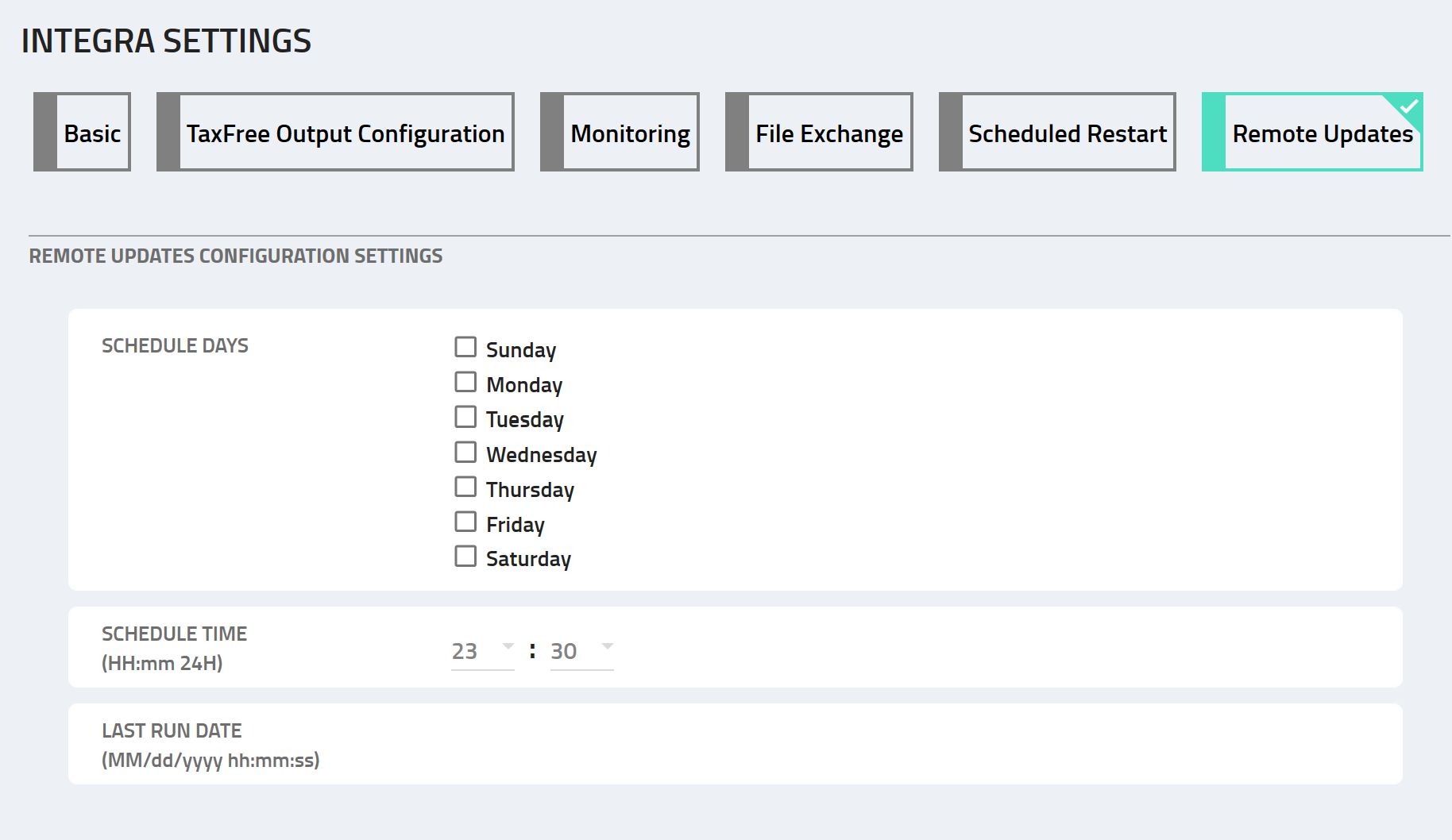
To authorize automatic updates as an IT Administrator, follow these steps:
1. Select Your Preferred Day(s):
- Check at least one day of the week when you'd like the updates to occur. This selection authorizes automatic updates.
2. Save Your Selection:
- Click the "Save" button to confirm your preferences.
3. Contact your Technical Account Manager
- They will ensure that the GB backend is also setup and ready to send updates to your Shop(s).
If you have any questions or need assistance, please don’t hesitate to contact your Technical Account Manager or your Account Manager for personalized support.